 Nexus
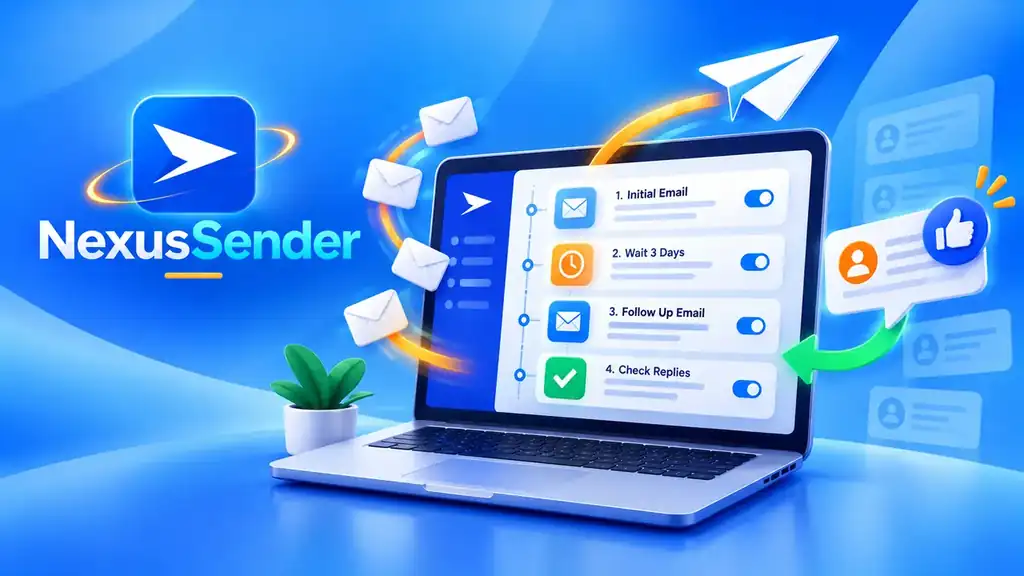
Good cold email campaign software gives you the tools. The campaign itself, the list, the message and the timing, decides whether you get replies. This guide shows how to build a campaign step by step, with a sample sequence you can adapt. It works with any cold email outreach software, and we use NexusSender for the examples.
What a cold email campaign is made of
Every campaign has five parts:
- A lead list. The people you want to reach.
- Mailboxes. The addresses you send from.
- A sequence. The first email and the follow ups.
- A schedule. Days, hours and daily volume.
- A reply process. What happens when someone answers.
The best cold email campaign software keeps all five in one place, so you do not juggle spreadsheets and several mail accounts.
Step 1: Build a focused lead list
A small list of people who really fit your offer beats a big list of random contacts. Choose one type of company and one type of role, for example owners of small marketing agencies. Prepare columns such as first name, company, email address and one fact that helps you personalize. Remove duplicates and verify the addresses before you import them, because bounces hurt your reputation.
Step 2: Choose your mailboxes
Pick mailboxes that are warmed up and healthy. If you plan to send more than 40 or 50 emails a day, use several mailboxes, each with its own daily limit. New to warmup? Read our guide on warming up a new email address first.
Step 3: Write a four step sequence
Most replies arrive after a follow up. A simple four step sequence works for most outreach:
Email 1: The opener (day 1)
Short and about them. For example:
Subject: quick question about {{company}}
Hi {{first_name}}, I noticed {{company}} {{one specific observation}}. We help {{type of business}} {{one clear result}}. Would it be useful if I sent over a short example?
Email 2: The reminder (day 3 or 4)
A short follow up in the same thread. Add one new piece of value, such as a small tip or a relevant result.
Email 3: The proof (day 7)
Share a short example, a result or a one line case study. Keep the same single question.
Email 4: The polite close (day 12)
Tell them you will not email again unless they want you to, and give them an easy way to say yes or no.
Follow ups that arrive in the same thread look like one conversation, which feels more natural than four separate emails.
Step 4: Use variables and spintax
Variables such as {{first_name}} and {{company}} fill in from your lead list. Spintax lets you write choices like {Hi|Hello|Hey}, and the software picks one for each lead. Together they make every email slightly different. Do not overdo it: spintax cannot rescue a message that is not relevant.
Step 5: Set the schedule and a slow ramp
- Choose sending days and hours that match business hours of your leads.
- Set a daily limit for each mailbox.
- Use a gradual ramp so the campaign reaches full volume over about two weeks.
NexusSender has a campaign ramp over 14 days with slow, normal and fast options, so you do not have to calculate the increase yourself. Our guide on sending in volume safely explains the reasoning.
Step 6: Test two versions
A/B testing means sending version A and version B of one step to different leads and comparing replies. Change only one thing at a time, such as the subject line or the first sentence. Wait until you have enough replies to see a clear difference before choosing a winner.
Step 7: Handle replies fast
Replies are the whole point. A unified inbox collects answers from all your mailboxes in one place. Label each reply by interest level, answer interested leads quickly and make sure the sequence stops for anyone who replied. Honor every request to stop emailing.
Step 8: Read the numbers
After the first week, look at:
- Bounce rate. If it is high, clean the list and slow down.
- Reply rate. If it is low, rewrite the first email, not just the subject.
- Positive replies. This is the number that matters for your business.
Good cold email automation software shows these numbers per campaign and, for agencies, in branded client reports.
Common campaign mistakes
- Writing about yourself instead of the recipient.
- Asking for a long call in the first email.
- Sending the same text to very different audiences.
- Skipping warmup and starting at full volume.
- Ignoring bounces.
How to choose cold email campaign software
When you compare tools, check that they offer multi step sequences, same thread follow ups, spintax and variables, A/B testing, daily limits per mailbox, a unified inbox and clear reports. These are the features that separate good cold email campaign software from a simple mass mailer. For a longer checklist read our guide to the best cold email software in 2026.
NexusSender includes all of these in a Windows app that keeps your data on your own computer. Start a free trial, follow the How to Start guide and send a small test campaign to your own addresses before you go live.
Frequently asked questions
How many emails should a cold email sequence have?
Three to four emails over about two weeks works well for most outreach. More than five starts to feel pushy.
How long should a cold email be?
Three to five short sentences. People read these on a phone, so shorter is better.
When is the best time to send cold email?
During business hours on weekdays in the recipient's time zone. Test different days and hours with your own audience.
- cold email campaign software
- best cold email campaign software
- cold email automation software
- cold email outreach software
- best cold email outreach software
- cold emailing software
- cold email software
- cold email marketing software
- software for cold email
- cold email sending software
- email sales software
- top cold email software
- best cold email software
- bulk cold email software