 Nexus
How to start with NexusSender
From a blank install to your first reply in six steps. Every step has its own screen, and each one takes minutes, not hours.
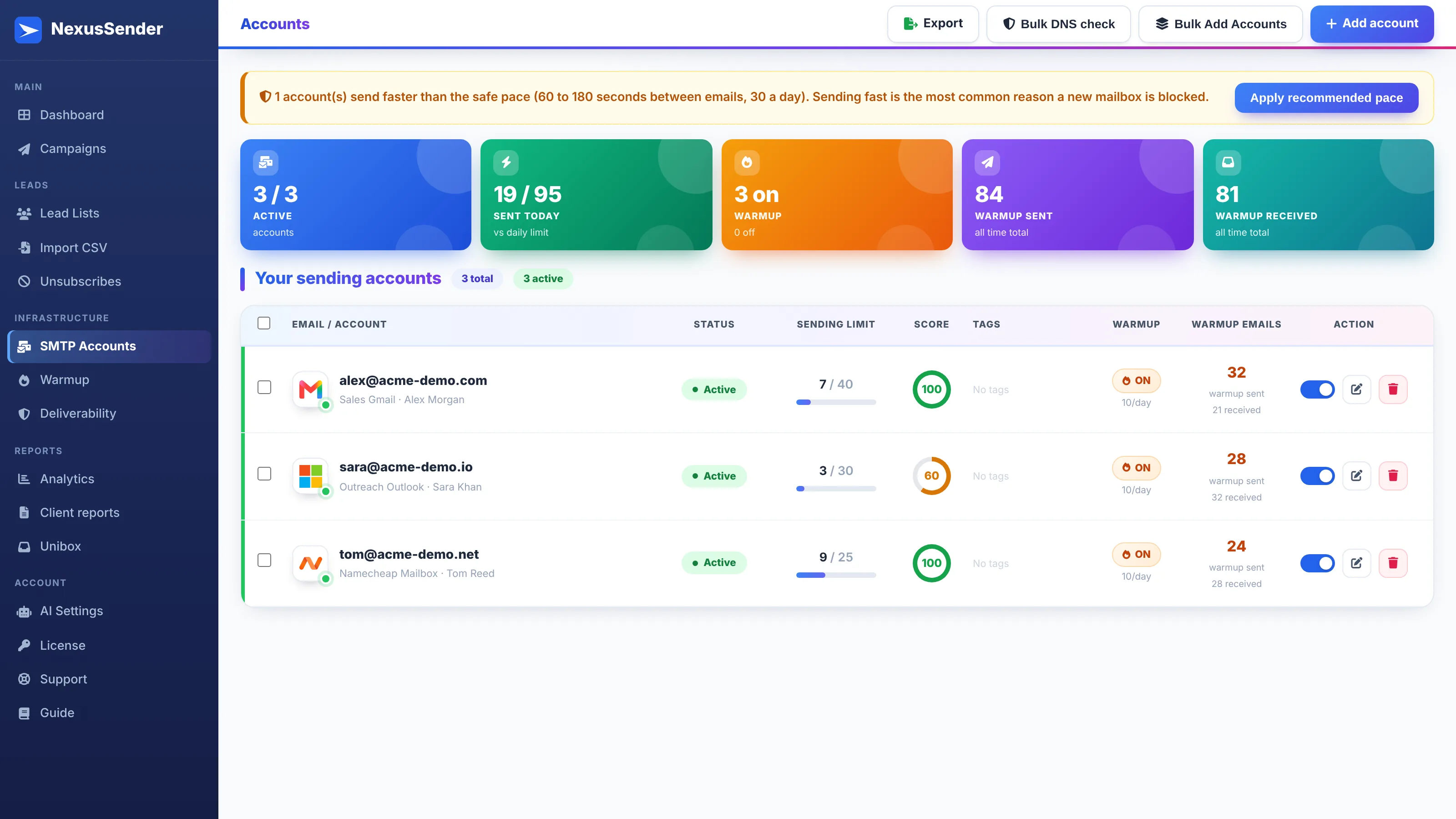
Connect your mailboxes
Open SMTP Accounts and add the mailboxes you want to send from. NexusSender works with Gmail, Outlook, Yahoo, Zoho Mail, Namecheap and any provider that gives you SMTP and IMAP details.
Before it saves an account, the app tests both the sending and the receiving connection, so a wrong password, port or app password shows up right away instead of in the middle of a campaign.
Warm up the mailboxes
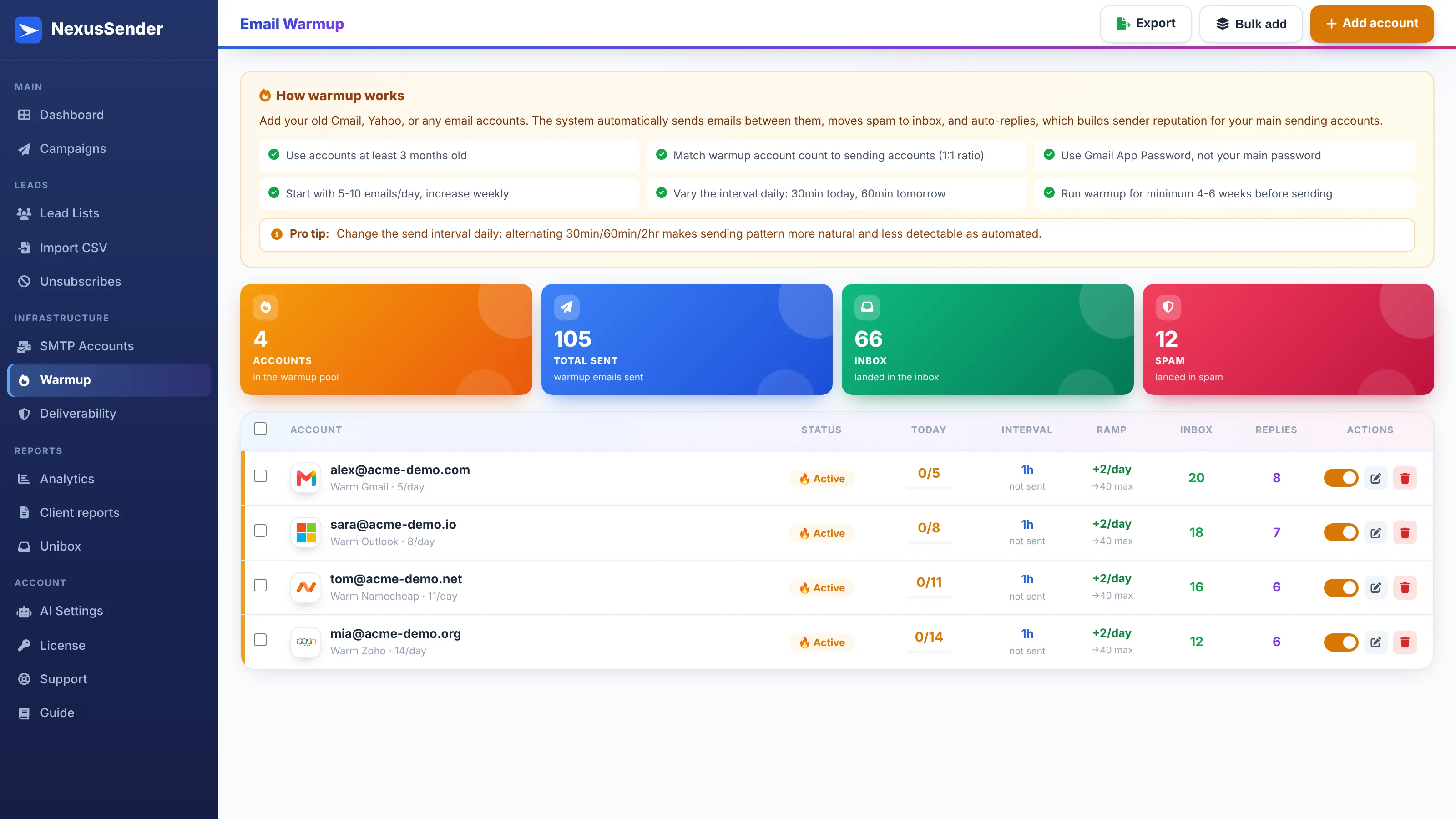
Turn warmup on for each new mailbox. Your warmup accounts trade short, neutral emails, rescue them from spam, mark them important, open them and reply. The daily volume grows on its own.
You never write a warmup email. NexusSender picks from a library of thousands of subject lines, message bodies and replies, so no two exchanges look alike.
Import your leads
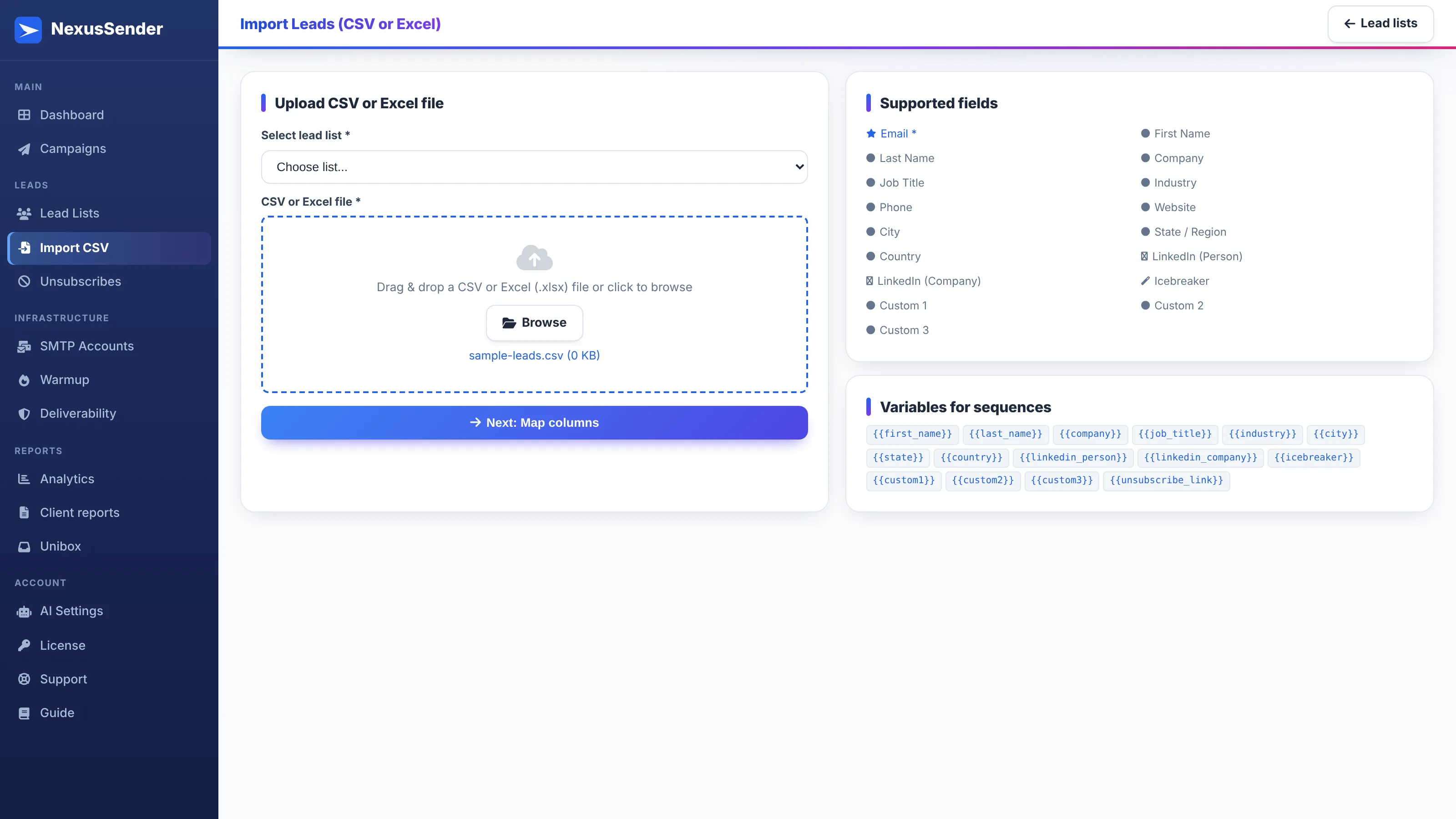
Drop in a CSV or Excel file, map the columns to first name, company and email, and import. The app can verify the addresses so invalid ones are removed before you send.
People who unsubscribed are remembered, so they are never emailed again by any campaign.
Write the sequence
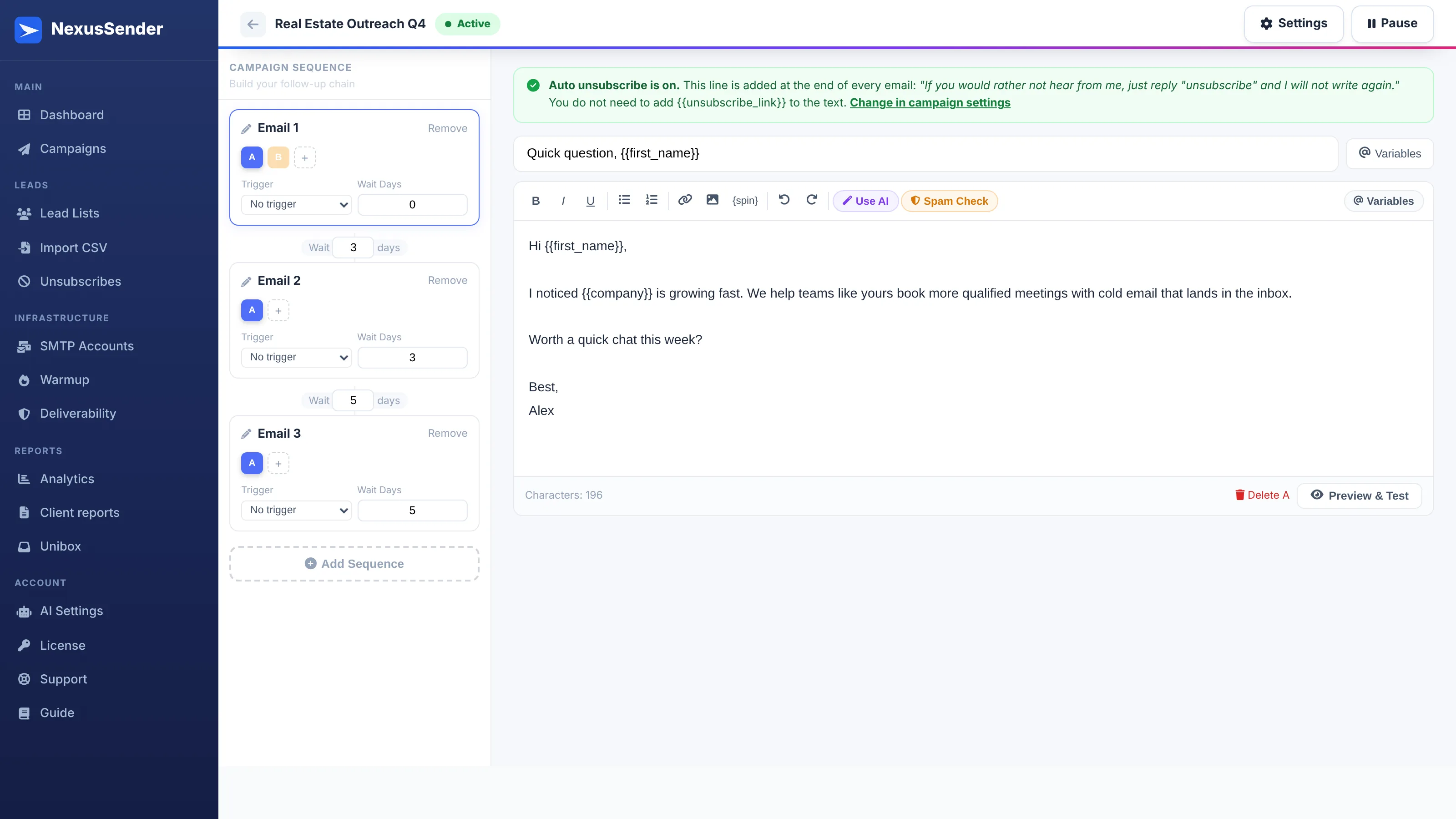
Build a sequence with several steps and waiting days between them. Add variables such as the first name and company, vary the wording with spintax, or let the optional AI writer draft the text with your own key.
A spam check in the editor shows risky words and problems before anything is sent. Step two is sent in the same thread as step one, and the sequence stops by itself when the lead replies.
Launch the campaign and watch the results
Choose the lead list, the mailboxes, the days and hours, and how fast the campaign ramps up. A slow, normal or fast ramp over 14 days raises the daily volume gradually, each mailbox has its own daily limit, and a campaign pauses if the bounce rate passes the limit you set.
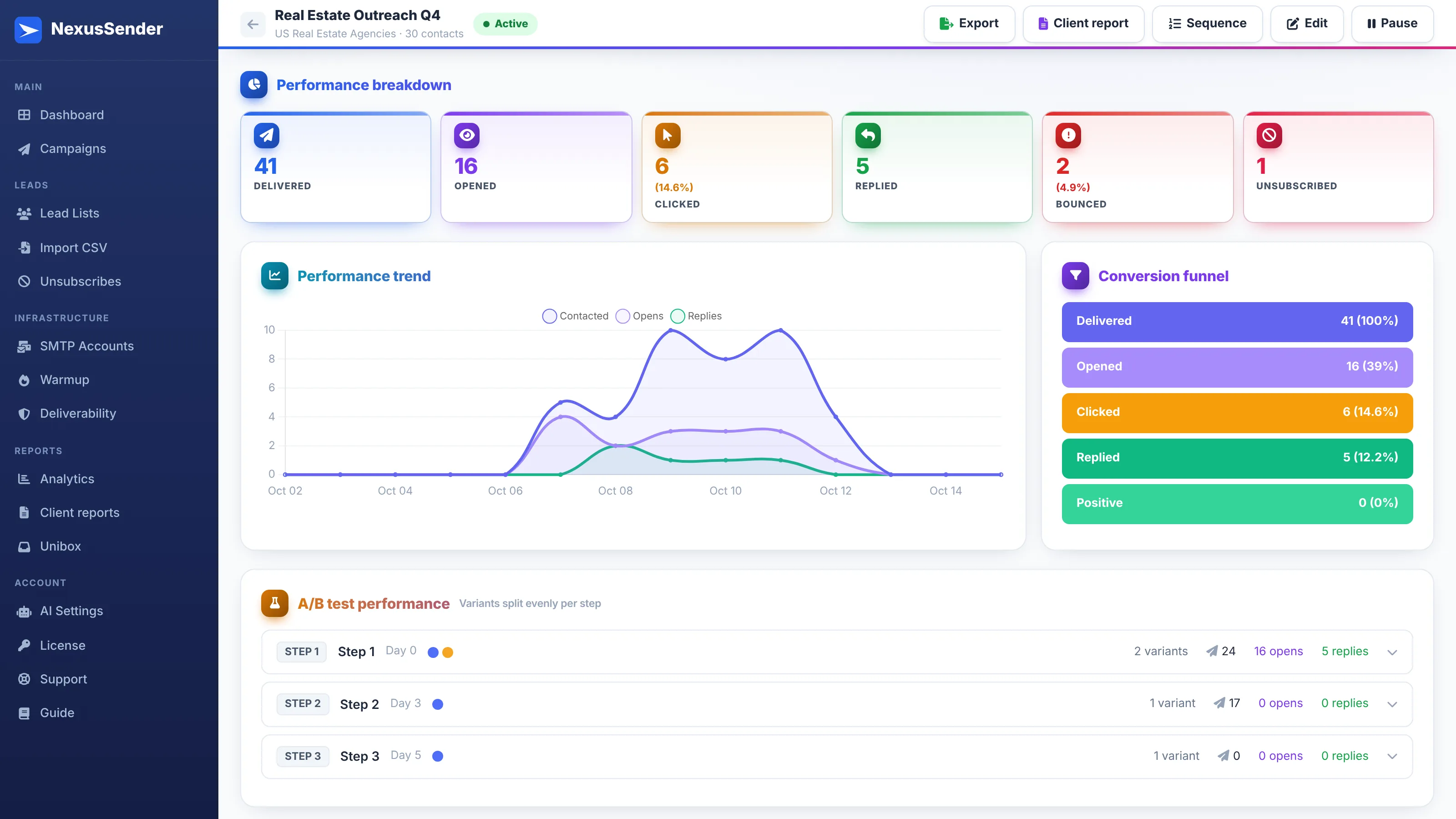
See delivered, opened, clicked, replied and bounced for every campaign, with a trend line and a conversion funnel that update as emails go out. Open and click tracking is off by default because it can hurt delivery, and you can turn it on when you want the numbers.
The analytics page shows totals and a table for every campaign, and the report builder makes a branded PDF or HTML report you can send to a client.
Answer from one inbox
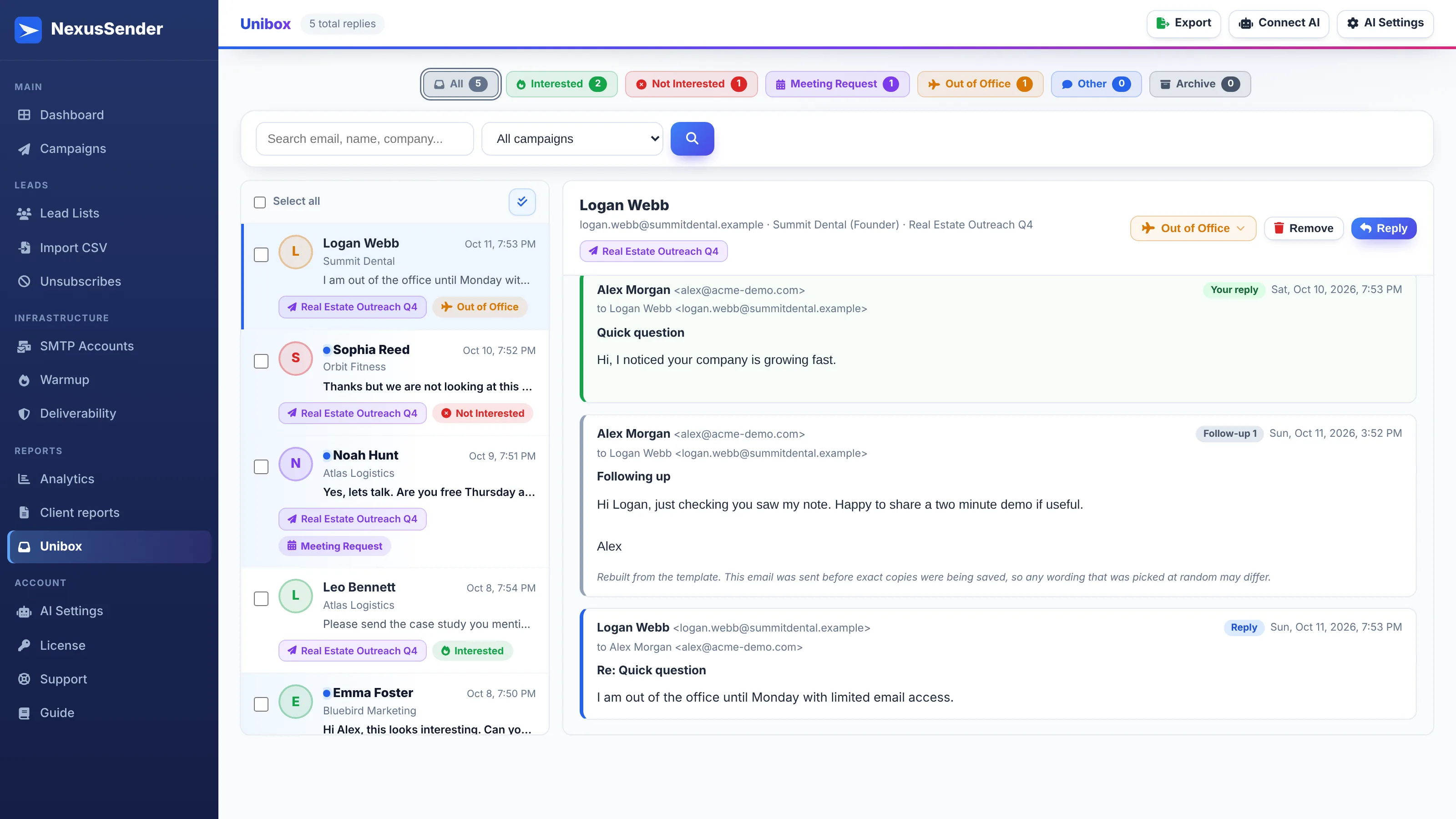
Replies from every mailbox land in the Unibox. Label each one by how interested the lead is, read the full thread and reply without switching accounts.
The app keeps running in the background from the system tray, so follow ups go out on schedule even when the window is closed.
What you need to get started
A Windows computer
Windows 10 or 11, 64 bit. The installer includes everything else the app needs.
One or more mailboxes
Any email account with SMTP and IMAP access. Gmail and Yahoo need an app password.
A lead list
A CSV or Excel file with email addresses, and ideally a first name and company for each person.
Questions about a step? Read the full FAQ or visit the support page.
Ready to send your first campaign?
Get NexusSender, or start a free trial and try every step above yourself.